
Binance Referral Code: How It Works (2026)
What a Binance referral code does, the rebates Binance officially offers, how to apply a code when you sign up, and what to check if yours isn't working.
 Lucas Almeida 5 min read
 Key takeaways
- A Binance referral code (the field is labeled "Referral ID" at sign-up) links your new account to the person who invited you, so they earn a commission on your trading fees.
- Per Binance's program documentation (checked October 2026), referrers can earn up to 50% commission, and part of that can be passed to you as a fee rebate of up to 20% on spot and margin fees.
- Using a code costs you nothing and does not change the fees you would pay anyway — in programs that offer a rebate, it can reduce them.
- The code must be applied at sign-up; in most programs the binding is permanent and cannot be added later.
- If your referral code is not working, the usual causes are an account that already exists, a typo, a promo code pasted into the referral field, or a region mismatch.
A Binance referral code is an invite code that links your new account to the person who referred you, so they earn a commission on your trading fees. Using one costs you nothing, and in programs that offer a rebate it can reduce your fees — per Binance’s program documentation (checked October 2026), referrers can share up to a 20% discount on spot and margin fees with the people they invite.
The key detail most people miss: the code is applied at sign-up, and in most programs it cannot be added later. So if you want the benefit, apply it when you create the account.
What does a Binance referral code actually do?
A referral code does one simple thing: it tells Binance who invited you. When you trade, Binance shares a slice of your trading fees with that person as a thank-you for bringing in a new user.
Two people are involved, and both can benefit:
- The referrer earns a commission — a percentage of the fees you pay when you trade.
- You, the new user, can receive a rebate or discount on your trading fees, if the referrer chooses to share their commission with you.
Critically, the code does not change your standard trading fees. You pay the same base fee either way; the code only determines where a portion of it goes.
This is the part people often misunderstand: a referral code is not a discount code in the usual sense. It reallocates a slice of the fee you would have paid anyway, and in programs that offer a rebate, the rebate comes out of the referrer’s commission — not out of your pocket.
What do you get with a Binance referral code in 2026?
The documented headline numbers come from Binance’s own referral program pages (checked October 2026): referrers can earn up to 50% commission on their invitees’ trading fees (per the Referral Pro documentation), and they can pass part of that commission to invitees as a fee rebate of up to 20% on spot and margin trading (per the Co-Inviter program).
| What | Documented figure (Binance program docs, checked October 2026) |
|---|---|
| Referrer commission | Up to 50% of the referred user’s trading fees |
| Invitee fee rebate | Up to 20% off spot and margin fees, if the referrer shares their commission |
| One-time reward option | A fixed bonus (often a trading-fee voucher) after the new user’s first trade or purchase |
| Program modes | A one-time reward mode and an ongoing commission mode (see below) |
What does that mean in practice for you as a new user? Here is an illustrative example. Binance’s standard spot trading fee starts at 0.1% per trade for regular users (per Binance’s fee schedule), so a 20% rebate would reduce what you effectively pay:
| Monthly spot volume | Est. fees at 0.1% | Effective fees with a 20% rebate |
|---|---|---|
| $500 | $0.50 | $0.40 |
| $5,000 | $5.00 | $4.00 |
| $50,000 | $50.00 | $40.00 |
These figures are illustrative, not a promise. Your actual fees depend on your VIP tier, whether you pay fees with BNB for a discount, and — most importantly — whether your referrer actually shares a rebate with you, because that is the referrer’s choice, not an automatic feature of every code. Exact program rates change regularly, so treat any number here as a snapshot and confirm the current terms on Binance’s referral page before signing up.
How is a referral code different from other Binance codes?
Not every code you see is a referral code, and mixing them up is a common reason a code “doesn’t work”. There are three kinds worth telling apart:
- Referral / invite code (Referral ID). Links your account to the person who referred you, so they earn commission and you may get a rebate. Applied at sign-up, in the field labeled “Referral ID (Optional)”.
- Promo / campaign code. A one-off promotional code for a specific offer, such as a fee voucher or a trading bonus. These are redeemed on a promotions or Rewards Hub page after you have an account, and they expire.
- Rebate / discount code. Sometimes a code offered by a specific channel that adjusts your fees for a period.
The distinctions blur in practice, and Binance’s naming varies. The takeaway: a referral code is about the relationship between you and whoever invited you, and it is the one that must be applied at sign-up. Promo codes are separate offers you redeem later, and pasting one into the referral ID field will simply fail.
How do you apply a referral code when you sign up?
Applying a code is part of registration, and it only works at registration — here is the flow.
Step 1: Open the sign-up page through a referral link
The simplest way is to open Binance through a referral link. The link carries the invite code, so the field fills in automatically — nothing to type or remember.
💡 Don't have a Binance account yet? Sign up now — enter the referral code BN2688.
Step 2: Confirm the invite code is applied
On the registration form, look for the Referral ID field and check it is filled in. If you opened Binance directly (not through a link) and you have a code, enter it here before submitting the form.
Step 3: Complete registration and KYC
Finish creating the account and complete identity verification. The referral only counts once the account is fully registered and verified, so finish the KYC step too.
Step 4: Trade to activate the reward
Some referral rewards only activate after your first trade or a minimum volume. After depositing, place a small trade so any one-time reward or ongoing rebate actually triggers.
Step 5: Check the rebate is showing on your account
If your referrer offered a fee rebate, confirm it on your account — the fees page in your profile settings shows whether a discount is active. This is worth two minutes, because a rebate you did not receive is invisible unless you look for it.
How do you find and share your own referral code?
Once you have an account, you can refer others and earn commission yourself. Everything lives on the referral page in your account: in the Binance app, tap the profile icon and look for Invite Friends or Referral; on the website, find Referral Program under the account or footer menu.
Setting it up takes four steps:
- Choose your program mode. Binance lets referrers pick between a one-time reward model (both sides get a fixed bonus) and an ongoing commission model (you earn a percentage of your invitees’ fees). See the comparison below.
- Set your commission split. In commission mode, you choose how much of your commission to pass to your invitees as a fee rebate — up to the documented 20% cap. A higher rebate makes your link more attractive; a lower one pays you more. There is a real trade-off, and it is your call.
- Copy your link or code. The referral page generates a personal link and a referral ID. The link is easier to share because it applies the code automatically.
- Track results on the dashboard. The same page shows signed-up invitees, their trading activity, and your earnings. Commission accrues only when referred users actually trade.
Three rules to know before you share: you earn only when someone signs up through your link (a code mentioned in passing does not count), referred accounts must complete KYC, and self-referral through second accounts is prohibited.
Binance referral code not working? What to check
If your referral code is rejected or a rebate is not showing, work through this checklist — one of these is almost always the cause:
- The account already exists. Referral bindings happen at registration. If you (or the email/phone you are using) already created a Binance account without the code, a new sign-up attempt will not accept it. In most programs the binding cannot be added retroactively; contacting Binance support is the only route, and it is not guaranteed.
- A promo code went into the referral field. Promo and campaign codes fail in the “Referral ID” field — they are redeemed later, on a promotions page. Check which kind of code you have.
- A typo, space, or wrong character set. Codes are short but exact. Retype it rather than re-pasting, and watch for trailing spaces on mobile.
- A region mismatch. Binance runs separate local entities and programs. A code from a different region’s program may not apply to your account — see the next section.
- The link lost the code in transit. Some chat apps and redirect wrappers strip referral parameters. If you opened a link and the Referral ID field came up empty, enter the code manually instead.
- The rebate is active but hidden. Fee rebates do not appear as a separate charge — they reduce what you pay. Check the fees section of your account to confirm a discount is applied.
If all of these check out and the code still fails, the fastest resolution is Binance’s official support channel — not the person who shared the code, who cannot see or fix bindings on your account.
Referral Lite vs. Pro: which program applies to your code?
Binance has run a few different referral structures, and it is easy to confuse them. The two broad shapes are:
- One-time reward (often called “Lite”). Both parties receive a fixed reward — such as a trading-fee voucher — after the new user completes a first purchase or trade. Simple, but a single payout.
- Ongoing commission (standard / “Pro”). The referrer earns a continuing percentage of the new user’s trading fees — documented at up to 50% — usually scaling with their referral volume and number of active traders. This is the long-term model.
Which one applies to your code depends on the mode the referrer chose, and on your region. Here are the two shapes side by side:
| Lite (one-time) | Pro / ongoing (commission) | |
|---|---|---|
| How it pays | A fixed one-time reward, often a fee voucher | A recurring percentage of the new user’s trading fees |
| Who gets paid | Both the referrer and the new user | The referrer (and optionally a rebate to the new user) |
| Payout timing | After the new user completes a first trade or purchase | Continuously, as long as the referred user trades |
| Best for | A single invite, quick reward | Building a stream of referrals over time |
For the new user, the practical takeaway is the same either way: use a code at sign-up, and you may get a rebate or a voucher. For the referrer, Lite is a one-off, while the ongoing program compounds if you refer many active traders.
Do referral terms vary by region?
Yes — the same referral link can offer different terms depending on where the referred person lives. Binance runs separate local entities and programs, and promotional terms are often region-specific.
This matters in two ways:
- The code’s reward can differ. A rebate offered in one country may not apply in another, because the underlying program differs.
- Availability changes. A program that exists in one region may not be offered in another at all. Binance.US, for example, runs its own separate referral program with different rewards from the global binance.com program.
The practical rule is simple: when you use a referral code, check the terms that apply to your region on Binance’s referral page, rather than assuming a screenshot from a different country applies to you.
What should you watch out for?
A few things trip people up with referral codes.
- Adding the code too late. In most programs the binding is permanent and applied at registration. Apply it when you sign up.
- Self-referral. Opening a second account under your own identity to collect your own commission is prohibited and will get the rewards revoked.
- Fake “codes” and scams. Only use a referral link from someone you trust. Scammers post fake links to phishing sites that look like Binance but steal your login.
A quick way to protect yourself: before you type anything, check the URL in the address bar. A genuine Binance link will be on a binance.com domain (or your local Binance entity’s domain). If the link is shortened, uses a look-alike domain (like “binance-support.com”), or asks you to log in again through a message, treat it as a phishing attempt and do not enter your credentials.
- Outdated numbers. Commission percentages and rebates change. Confirm the current terms rather than trusting a screenshot from last year — including from this article.
The bottom line
A Binance referral code links your account to the person who invited you, letting them earn up to 50% commission on your trading fees while you may receive a rebate of up to 20% on spot and margin fees — if the referrer shares their commission. It costs you nothing and cannot be added after registration in most programs, so apply it at sign-up. Use a link you trust, complete KYC, place your first trade, and check your fees page to confirm the rebate is active.
Ready to get started? Here is our full guide to creating a Binance account, and if you are comparing platforms, see how Binance stacks up against OKX.
Don't have a Binance account yet?Sign up nowenter the referral codeBN2688
Frequently asked questions
What is a Binance referral code?
Is a referral ID the same as a referral code?
Does using a referral code cost me anything?
Can I add a referral code after I create my account?
Why is my Binance referral code not working?
How much does the referrer earn?
What do I get as the person being referred?
Can I refer myself with a second account?
Editor-in-Chief & Lead Researcher
Editor of MyCryptoStart. Independent researcher of cryptocurrency exchanges, focused on fees, security, KYC, and onboarding — publishes step-by-step guides in plain English for beginners.
View author page →Some links on this page are affiliate links: we may earn a commission at no extra cost to you. This content is educational and is not financial, investment, or legal advice. Affiliate disclosure · Disclaimer.
Continue reading
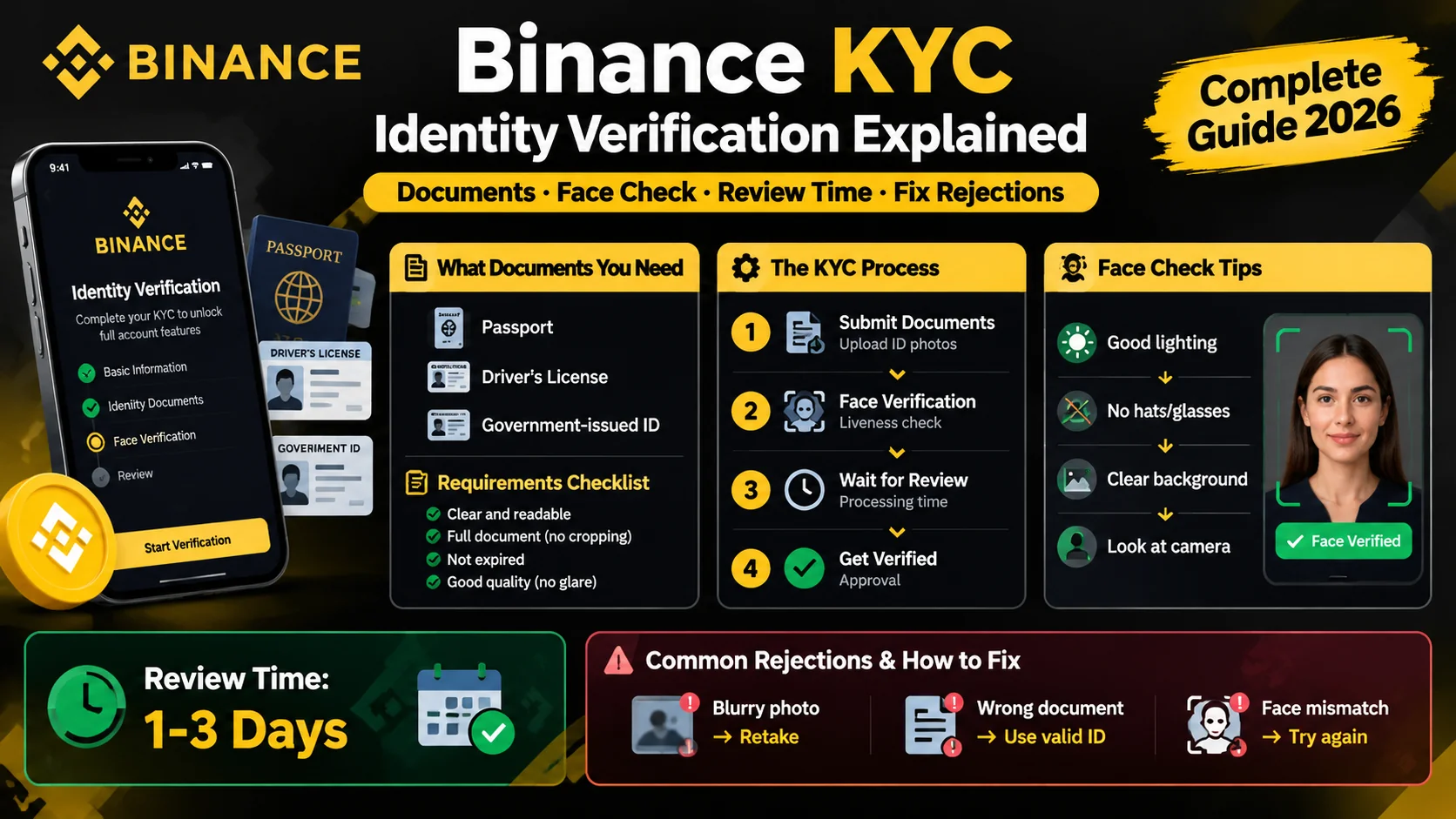
Binance KYC: How Identity Verification Works
Binance requires KYC before you trade. Learn the documents you need, how the face check works, how long review takes, and how to fix rejections.
Binance P2P: Buy and Sell Crypto Peer-to-Peer
How Binance P2P works — buy and sell crypto directly with other users, with zero fees and an escrow system that holds funds until payment is confirmed.
How to Create a Binance Account (2026 Guide)
Create a Binance account in about five minutes: sign up with email or phone, verify KYC, and turn on 2FA. Step-by-step guide for beginners.