
How to Create a Binance Account (2026 Guide)
Create a Binance account in about five minutes: sign up with email or phone, verify KYC, and turn on 2FA. Step-by-step guide for beginners.
 Lucas Almeida 5 min read
 Key takeaways
- Creating a Binance account takes about five minutes: sign up with an email or phone number, set a strong password, and confirm a verification code.
- You must complete identity verification (KYC) before you can deposit, trade, or withdraw — Binance does not let unverified accounts trade.
- Turn on two-factor authentication (2FA) immediately after signing up; it is the single most effective protection against account takeover.
- If you sign up through a referral link, the invite code is applied automatically and can earn you a fee discount or rebate.
- Binance charges no fee to create an account or to deposit cryptocurrency; you only pay when you trade or withdraw.
Creating a Binance account takes about five minutes. Sign up with an email address or phone number, set a strong password, confirm a verification code, then complete identity verification (KYC) to unlock deposits, trading, and withdrawals. There is no fee to open the account.
This guide walks through the whole process step by step, including the identity check, the referral code, and how to secure the account with two-factor authentication before you put any money in.
What you need before you start
You need four things: an email address or phone number you control, a government-issued ID, a device with a camera (for face verification), and a password you have not used anywhere else.
Here is each in more detail:
- Email or phone. Binance uses this to verify it is really you and to send security alerts. Use one you check regularly and that nobody else can access.
- Government-issued ID. A passport, national ID card, or driver’s license. The name on it must match the name you register with.
- Camera. The identity check includes a short face-verification step, so you need a phone or computer with a working camera.
- A strong, unique password. Do not reuse a password from another site. A password manager makes this easy.
Have these ready and the whole process should take about five minutes.
Email or phone number: which should you use?
Binance lets you register with an email address, a phone number, or — on the app — an Apple, Google, or Telegram account (per Binance’s sign-up guide). Email and phone are the two most common routes, and each has a trade-off.
| Phone number | ||
|---|---|---|
| Best for | Most people — easier to manage and keep secure | Users without reliable email |
| Recovery | Reset through email, which you control | Reset through SMS, which can be SIM-swapped |
| Main risk | A compromised email puts the account at risk | A SIM-swap can intercept your codes |
For most people, email is the safer choice, provided the email account itself is well protected with a strong password and its own 2FA. If you use a phone number, treat SMS as the weakest link in the chain and back it up with an authenticator app as soon as the account exists.
How to create a Binance account step by step
Sign-up happens in three quick stages — account details, verification code, and identity check — followed by security setup. Work through them in order.
Step 1: Open the sign-up page
Go to the Binance website in your browser or install the official Binance app from your device’s app store. Tap Sign Up.
A note on links: only use the official site or app store. Scammers build fake Binance sites that look identical, so check the URL carefully before you type anything. If you came through a referral link, the invite code fills in automatically.
Step 2: Enter your email or phone number
Choose whether to register with email or phone number, then create a password.
Binance requires a password with at least 8 characters, including at least one uppercase letter and one number (per its sign-up guide). A passphrase made of a few random words is both stronger and easier to remember than a short string of symbols.
Step 3: Enter the verification code
Binance sends a six-digit code to the email or phone you provided. Enter it within 30 minutes.
If the code does not arrive, check your spam folder, then tap to resend. The code proves you control that email or phone number.
Step 4: Confirm the referral code
If you registered through a referral link, the invite code field is already filled in. If you registered directly, you may be able to add one at this stage.
A referral code can earn you a discount or rebate on trading fees. You cannot always add one later, so it is worth getting it right now. Read our referral code guide to understand exactly how it works.
💡 Don't have a Binance account yet? Sign up now — enter the referral code BN2688.
Step 5: Complete identity verification (KYC)
Next you are prompted to verify your identity. Upload your ID and complete a short face-verification check.
This step is mandatory. Binance requires identity verification before you can deposit, trade, or withdraw, because it is a regulated financial platform. Most verifications are reviewed in minutes, though some can take up to 48 hours.
We cover this in a dedicated guide: Binance KYC explained.
Step 6: Turn on two-factor authentication (2FA)
As soon as your account is created, turn on two-factor authentication (2FA). This is the most important security step in the whole process.
Use an authenticator app such as Google Authenticator or Authy rather than SMS, because SMS can be intercepted through a SIM-swap attack. Binance also supports hardware security keys and passkeys.
With 2FA on, a stolen password alone is not enough to get into your account — an attacker would also need the code from your phone.
Step 7: Make your first deposit
Your account is ready. You can now deposit cryptocurrency from another wallet, or buy crypto directly with a card or bank transfer.
Depositing crypto is free on Binance. You will only pay fees when you trade or withdraw.
Two-factor authentication options compared
Two-factor authentication (2FA) adds a second proof of identity on top of your password. Not all methods are equal.
| Method | How it works | Security | Convenience |
|---|---|---|---|
| Authenticator app (Google Authenticator, Authy) | Generates a rotating code on your phone | Strong — the code never leaves your device | A few extra seconds each login |
| Passkey / hardware key | A device-bound key that signs the login | Strongest — resists phishing | Very smooth once set up |
| SMS code | A text message with the code | Weaker — vulnerable to SIM-swap | Easiest to understand |
Use an authenticator app as your primary method, and add a passkey or hardware key as a backup if you can. Avoid relying on SMS alone: in a SIM-swap attack, an attacker convinces your mobile carrier to move your number to their phone and then intercepts the codes sent to you.
What is identity verification (KYC) and why is it required?
KYC — “know your customer” — is the identity check that lets Binance confirm you are a real person. It is required by law, not a Binance choice.
Regulators in most countries require exchanges to verify who is using their platform, to prevent money laundering and fraud. Practically, this means:
- You upload a government-issued ID.
- You complete a short face-verification check.
- Binance reviews it and either approves or asks you to retry.
Until your identity is verified, your account is limited — you cannot deposit, trade, or withdraw. The full details, including document requirements and the Verified vs. Verified Plus levels, are in our KYC guide.
Is Binance available in your country?
Binance operates in many but not all countries, and the rules differ by region. Some regions are fully supported, others are restricted, and a few are blocked outright.
Before you invest time signing up, check two things:
- Whether Binance operates in your country at all.
- Which entity you are signing up with. Binance runs separate local entities in some regions — for example Binance.US in the United States and Binance Japan in Japan — each with its own rules, fees, and supported coins.
Your local Binance domain or the official announcement page is the reliable place to confirm this, because availability changes as regulations shift. Treat “Binance is available everywhere” as false — it is not, and the version you can actually access is what matters.
A related check: make sure you are using the real Binance app or site. There are fake Binance apps and copycat domains designed to steal logins. Install the app only from the official app-store listing, and check the domain in the address bar before you type anything. This matters more than most people realise — a convincing fake can look identical to the real thing.
Common problems (and how to fix them)
Most sign-up problems fall into a few categories. Here is what to do about each.
- Verification code never arrives. Check spam, wait 60 seconds, and resend. If you used email and it keeps failing, register with a phone number instead.
- ID is rejected. The photo must be sharp, well-lit, and show all four corners of the document. Remove any glare, and make sure the name matches your registered name exactly.
- Face check fails. Do it in good, even light, with no hat, glasses, or filter. Hold still and follow the on-screen prompts.
- “Account already exists.” You likely registered once before. Reset the password rather than creating a second account — Binance prohibits duplicate accounts under the same identity.
- Referral code missing. If you registered directly, the code may not apply retroactively. This is why it is worth registering through a link to begin with.
If a step keeps failing, contact Binance support from inside the app rather than searching for help on social media — fake “support” accounts are a common scam.
After sign-up: secure your account
The first few minutes after signing up matter more than any later step. Do these three things now.
- Turn on 2FA with an authenticator app.
- Set up anti-phishing protection. Binance can show you a private code in genuine emails, so you can spot fake ones.
- Check your withdrawal whitelist. You can restrict withdrawals to addresses you approve in advance, so a hacked account cannot drain funds to a stranger’s wallet.
A quick checklist for those first five minutes:
| Task | Why it matters |
|---|---|
| Turn on 2FA with an authenticator app | Stops anyone who only has your password |
| Set an anti-phishing code | Lets you spot genuine Binance emails at a glance |
| Add your wallet addresses to the withdrawal whitelist | Caps where funds can be moved to |
| Secure the registered email account itself | Email recovery is a common attack path |
| Store your password only in a password manager | Reused or written-down passwords get breached |
These steps are covered in more depth in our wallet security and security guides. The general rule: match your security to the amount. A few hundred dollars in a properly secured exchange account is reasonable; life-changing savings deserve a hardware wallet in self-custody.
What can you do after your account is verified?
Your account moves through three stages, each unlocking more:
| Stage | What it unlocks |
|---|---|
| Registered only (no KYC) | Browsing only — no deposits, trading, or withdrawals |
| Verified (basic KYC) | Deposits, spot trading, and standard withdrawal limits |
| Verified Plus | Higher withdrawal and fiat limits, more fiat channels |
Most retail users stop at Verified. Upgrade to Verified Plus only if you hit a limit.
Once basic identity verification is approved, the full platform opens up:
- Buy crypto with a card, bank transfer, or peer-to-peer (P2P).
- Deposit crypto from an external wallet.
- Trade on the spot market, and — if your region allows it — margin and futures.
- Withdraw crypto or fiat back to your own wallet or bank.
Start small. Make a small deposit, place one small trade, and withdraw a small amount to confirm you understand each step before you move larger sums.
The bottom line
Creating a Binance account is free and takes about five minutes: sign up with email or phone, set a strong password, confirm a verification code, complete the identity check, and turn on 2FA. Do the identity verification right away — nothing else works until it is approved — and enable two-factor authentication before you fund the account.
Next, read our guide on how to deposit funds into Binance and how Binance fees work so you know exactly what you will pay.
Don't have a Binance account yet?Sign up nowenter the referral codeBN2688
Frequently asked questions
Is it free to create a Binance account?
Do I need ID to create a Binance account?
How long does it take to create a Binance account?
Can I create a Binance account from any country?
What is the minimum age to use Binance?
Do I need a referral code to create an account?
Editor-in-Chief & Lead Researcher
Editor of MyCryptoStart. Independent researcher of cryptocurrency exchanges, focused on fees, security, KYC, and onboarding — publishes step-by-step guides in plain English for beginners.
View author page →Some links on this page are affiliate links: we may earn a commission at no extra cost to you. This content is educational and is not financial, investment, or legal advice. Affiliate disclosure · Disclaimer.
Continue reading
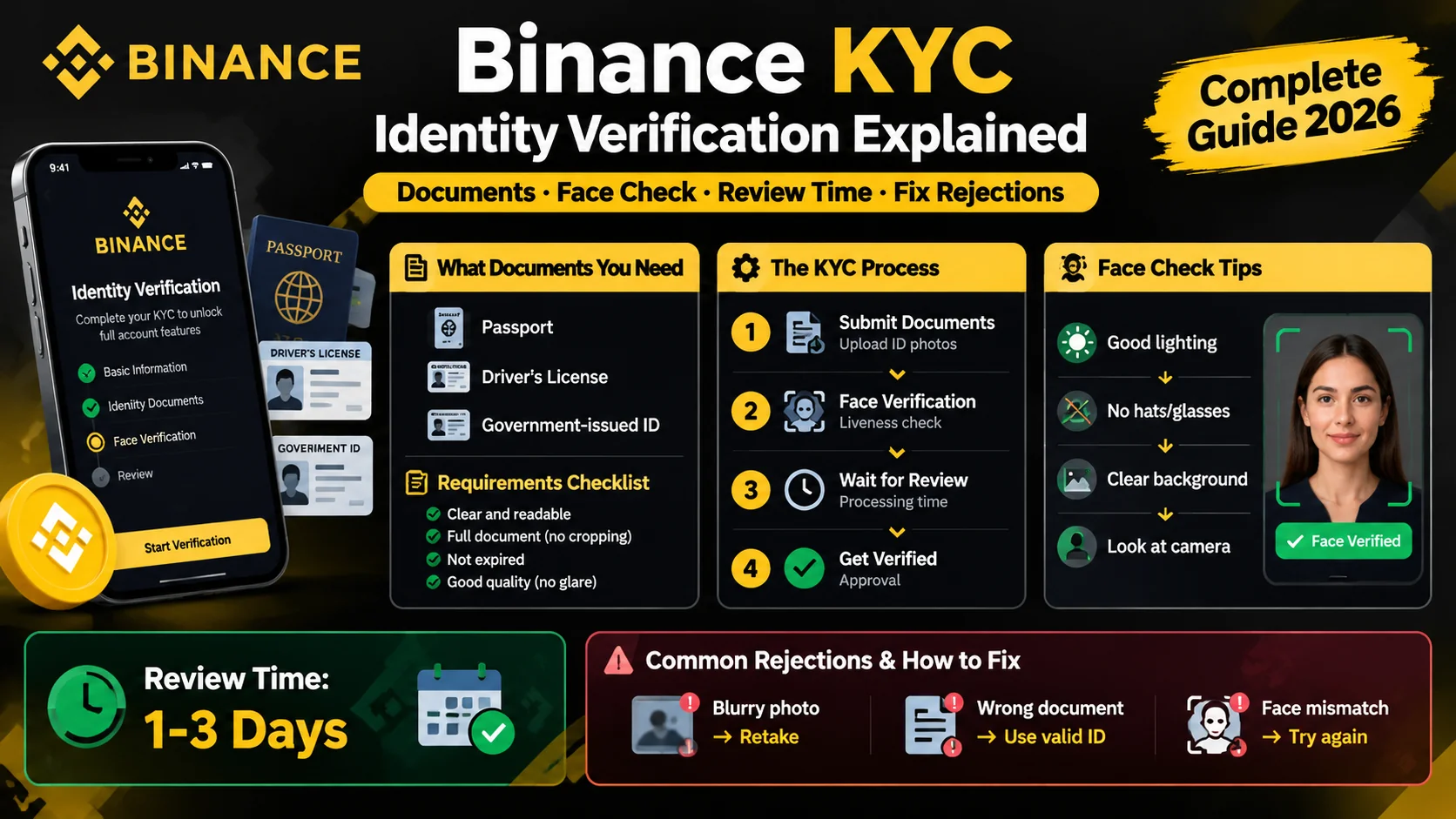
Binance KYC: How Identity Verification Works
Binance requires KYC before you trade. Learn the documents you need, how the face check works, how long review takes, and how to fix rejections.
Binance P2P: Buy and Sell Crypto Peer-to-Peer
How Binance P2P works — buy and sell crypto directly with other users, with zero fees and an escrow system that holds funds until payment is confirmed.
Binance Fees Explained: What You'll Pay
A plain-English breakdown of Binance fees — the 0.1% spot fee, 25% BNB discount, free crypto deposits, and withdrawal costs.